Echo Pro
The World's 1st Actionable AI Note Taker
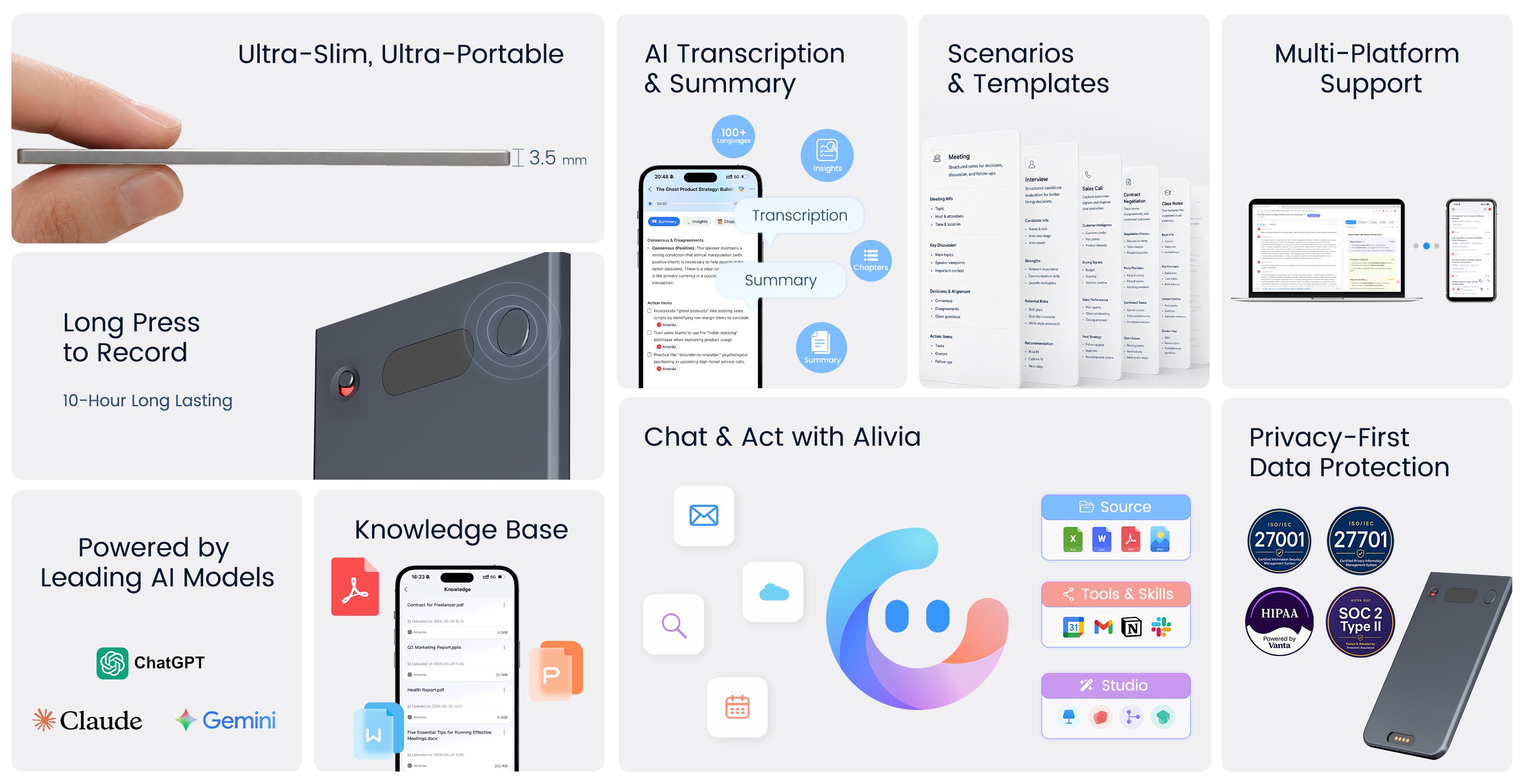
1. Long press to record
Record meetings, calls, lectures, and in-person conversations with just one press.
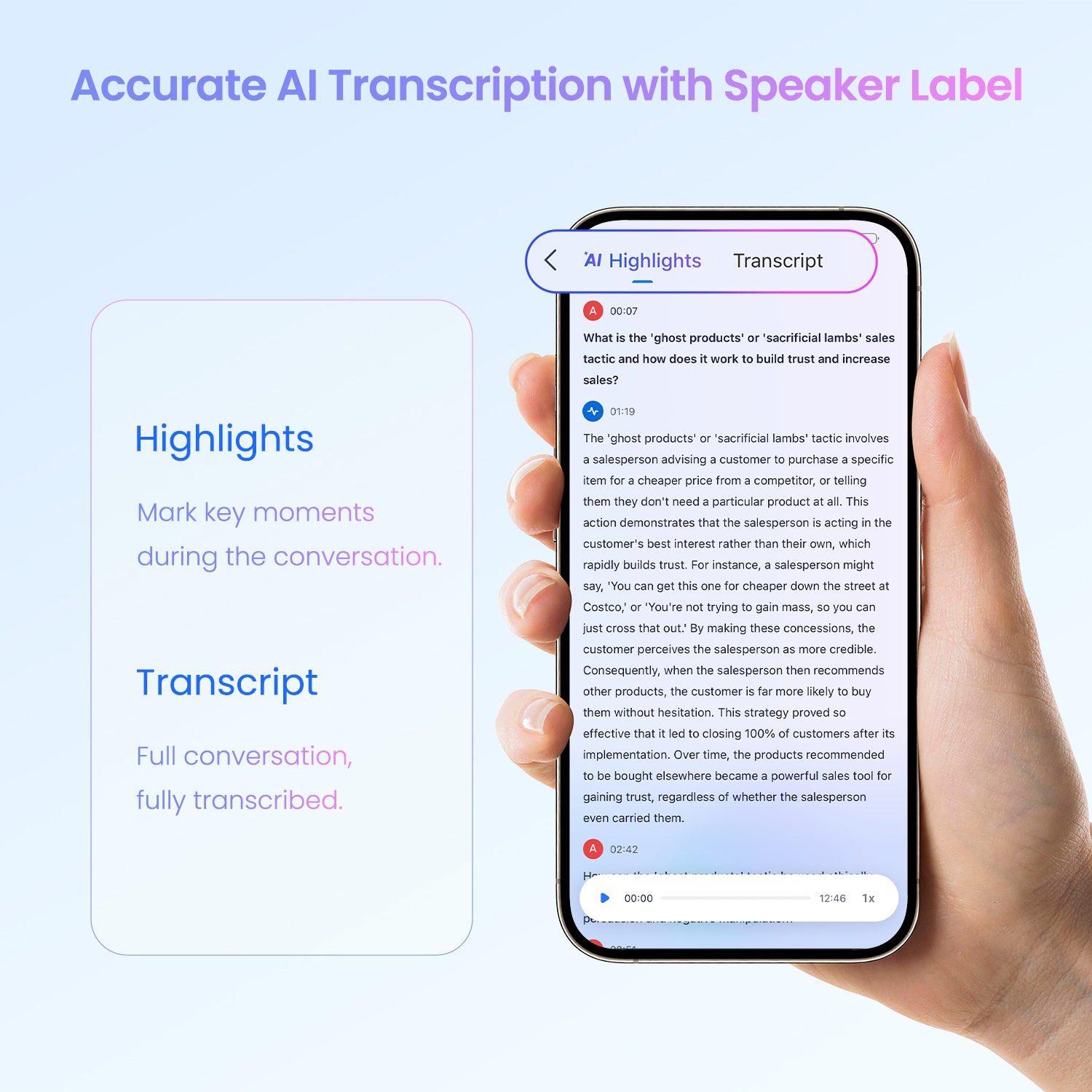
2. AI Transcription & Summary
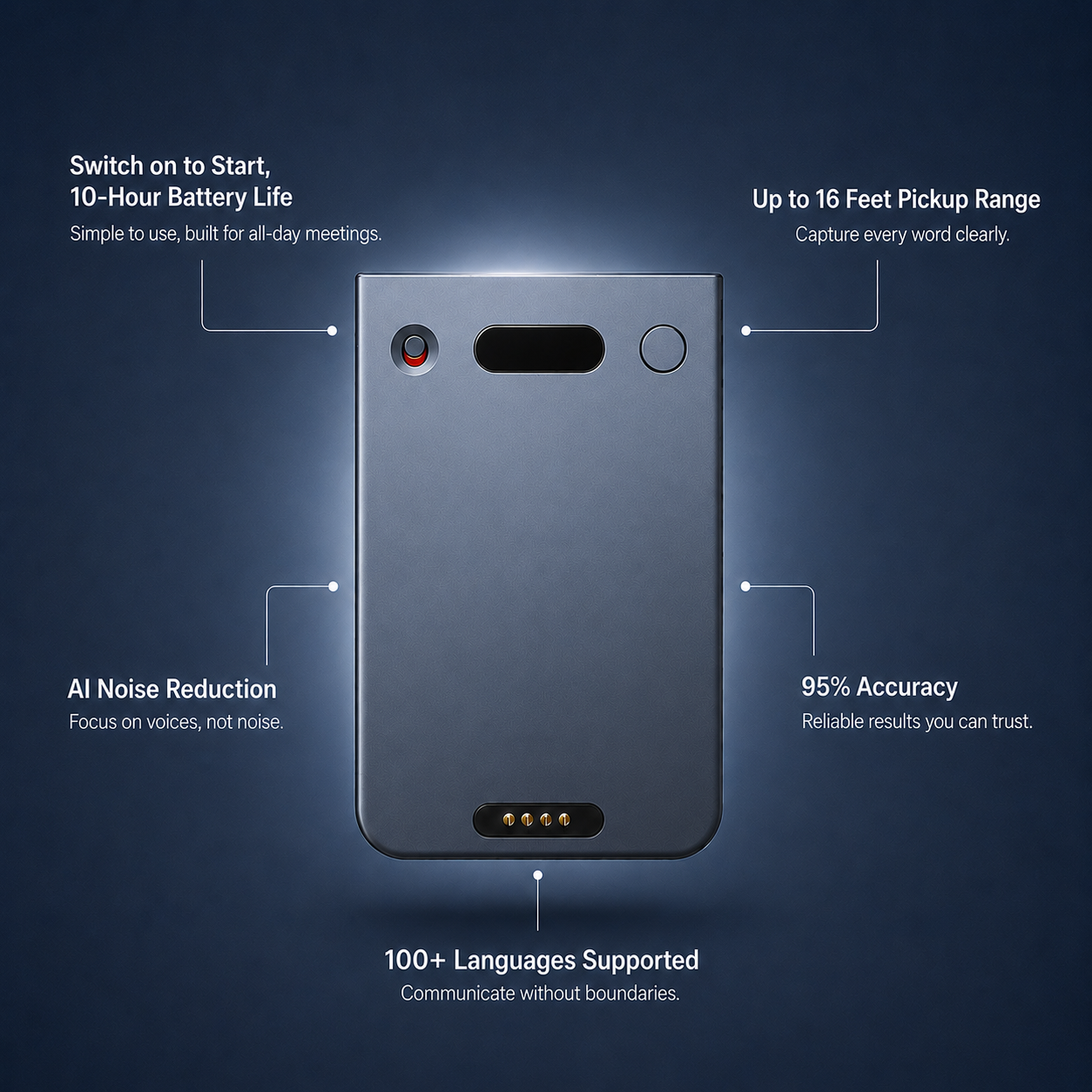
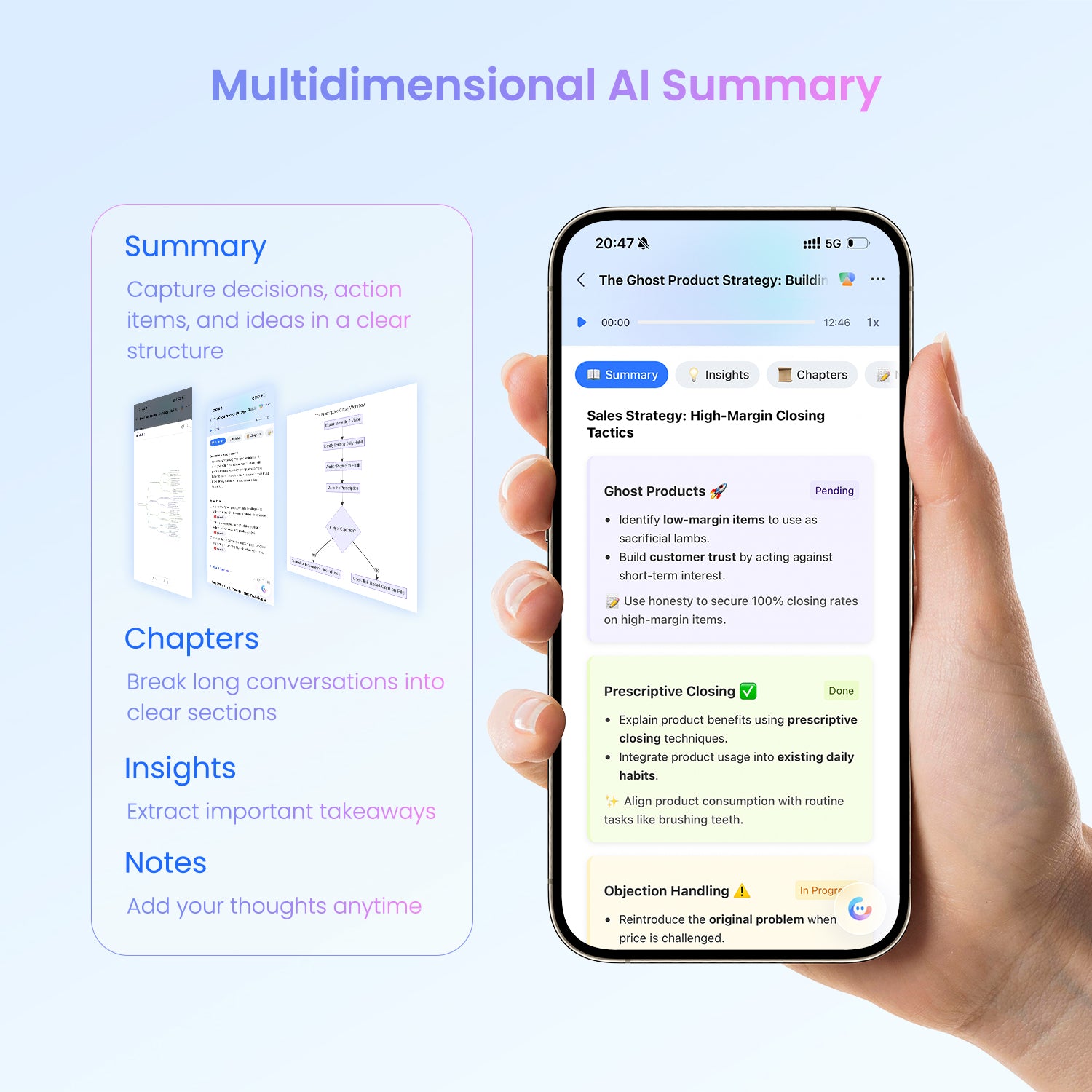
Get clear transcriptions and structured summaries with ideas, decisions, and action items in 100+ languages, with 95% accuracy.
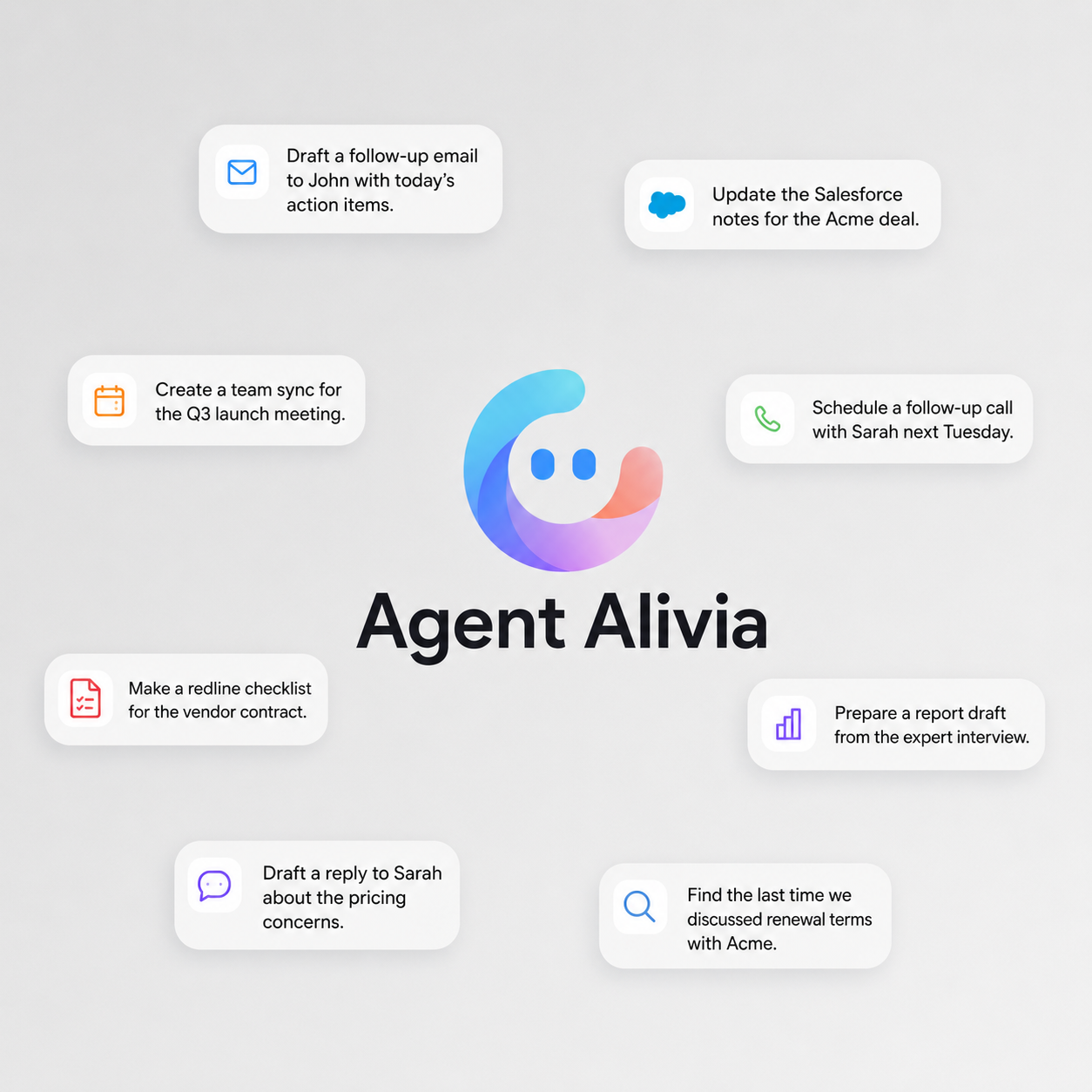
3. Agent Alivia
Ask Alivia to draft, organize, schedule, and move post-conversation work forward.
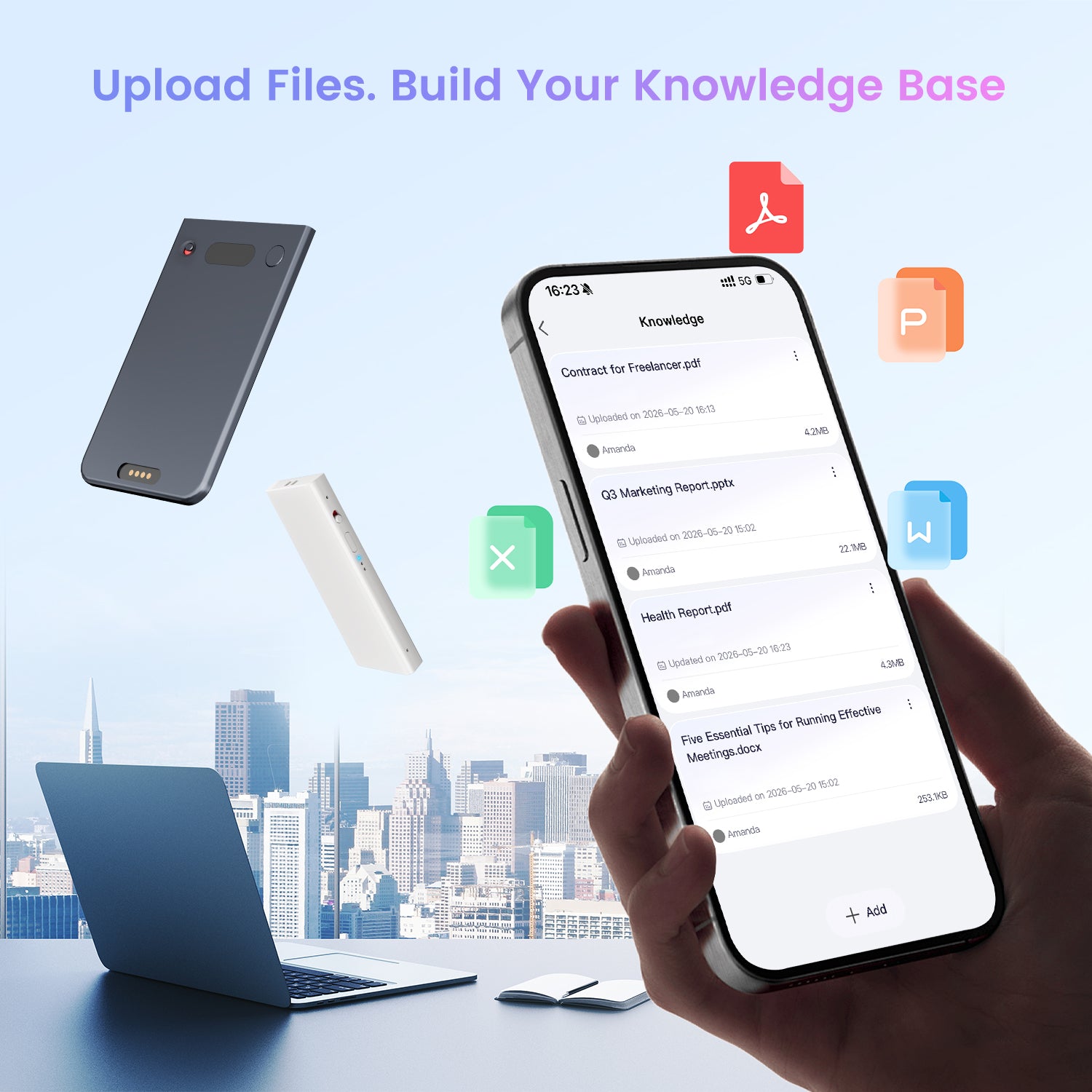
4. Knowledge Base
Upload files and references so Alivia can work with your own context.
5.Professional Intelligence
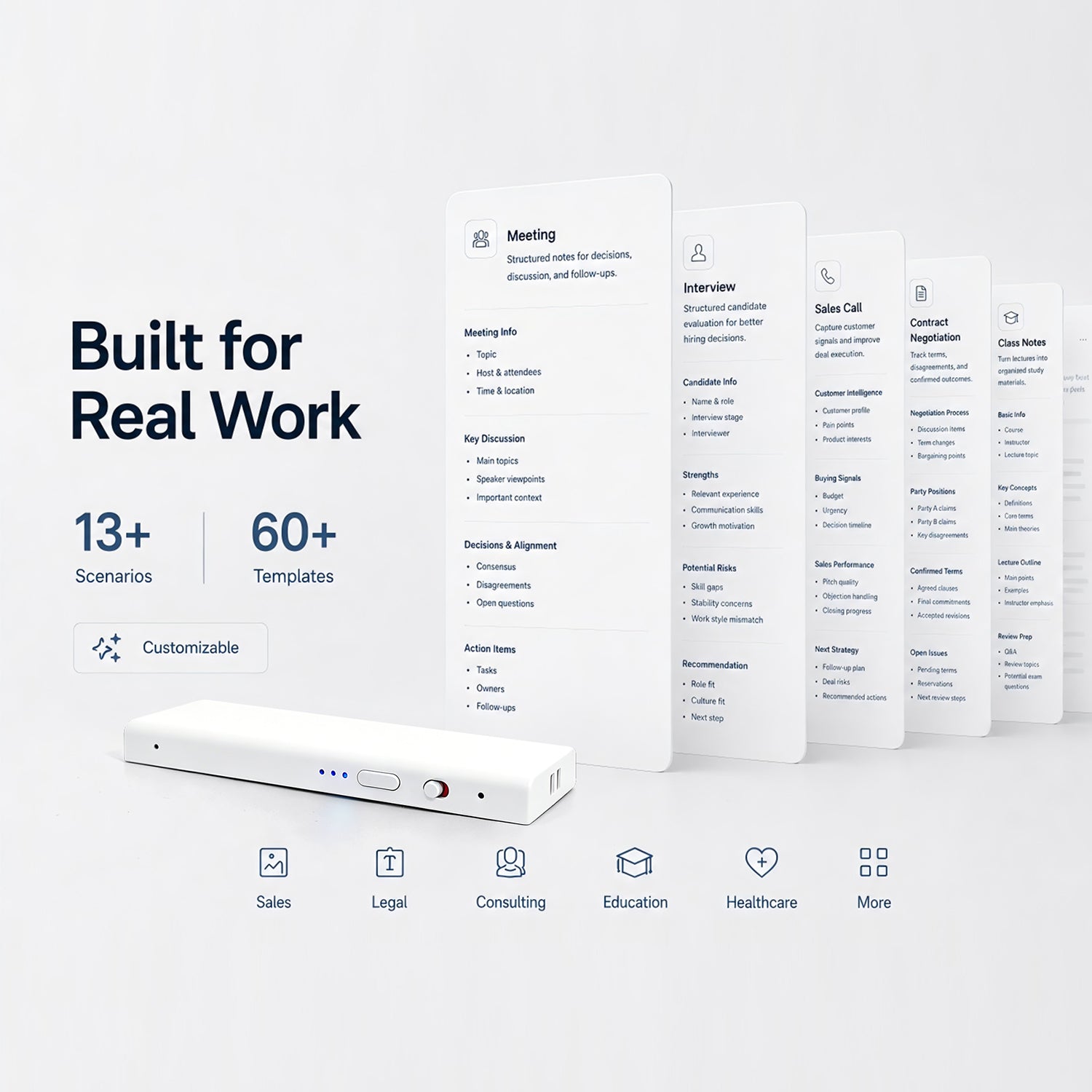
13+ scenarios, 60+ templates, and customizable workflows for different professions.
How Echo works?
Follows the full path of your workflow


Stay present in every conversation. Echo handles what comes after.
Turn messy into clear, structured notes.
Agent Alivia for post-conversation work
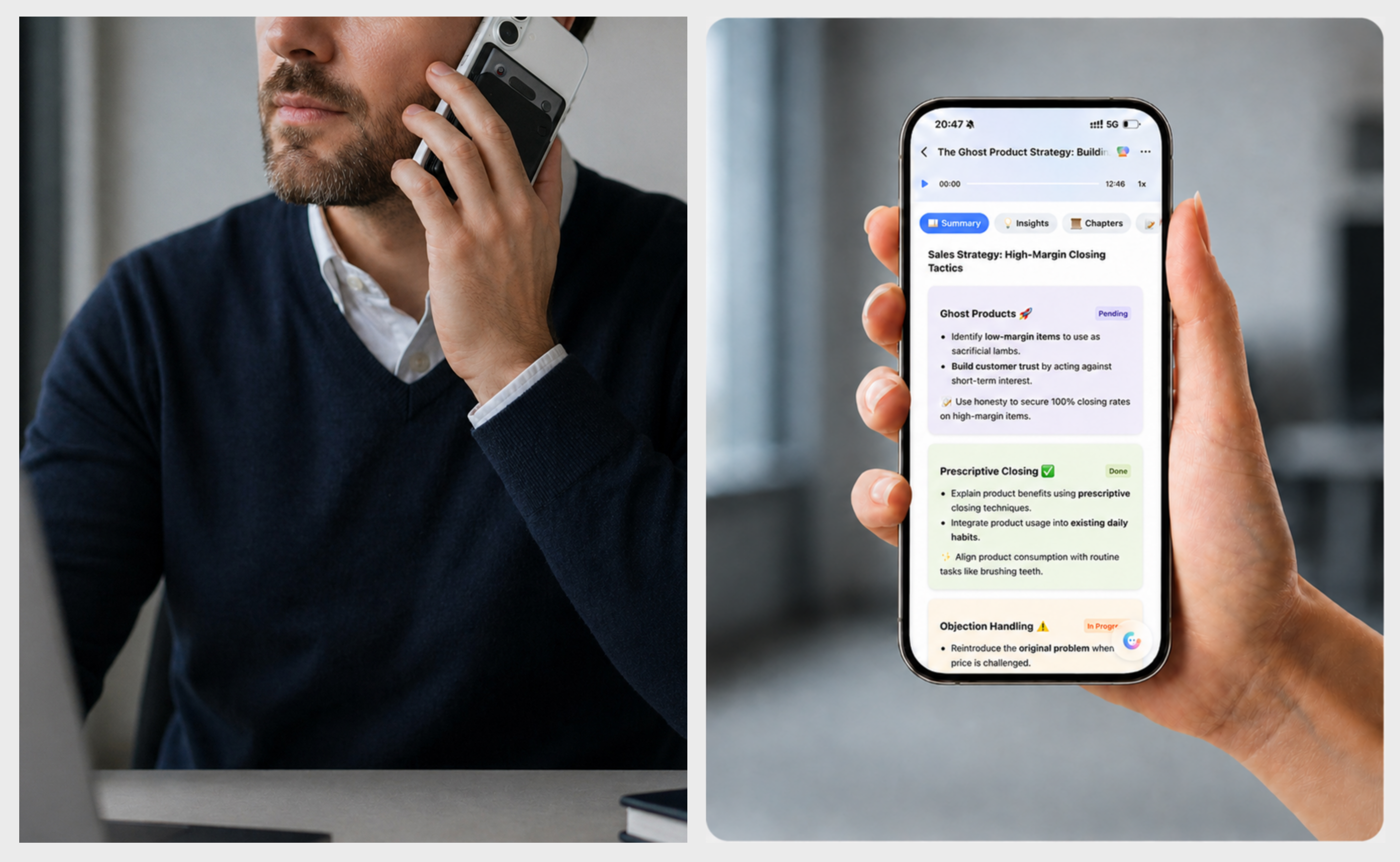
Turn conversations into clear, structured notes
Echo automatically transcribes every conversation with speaker recognition, then turns it into clear summaries with ideas, decisions, and action items.
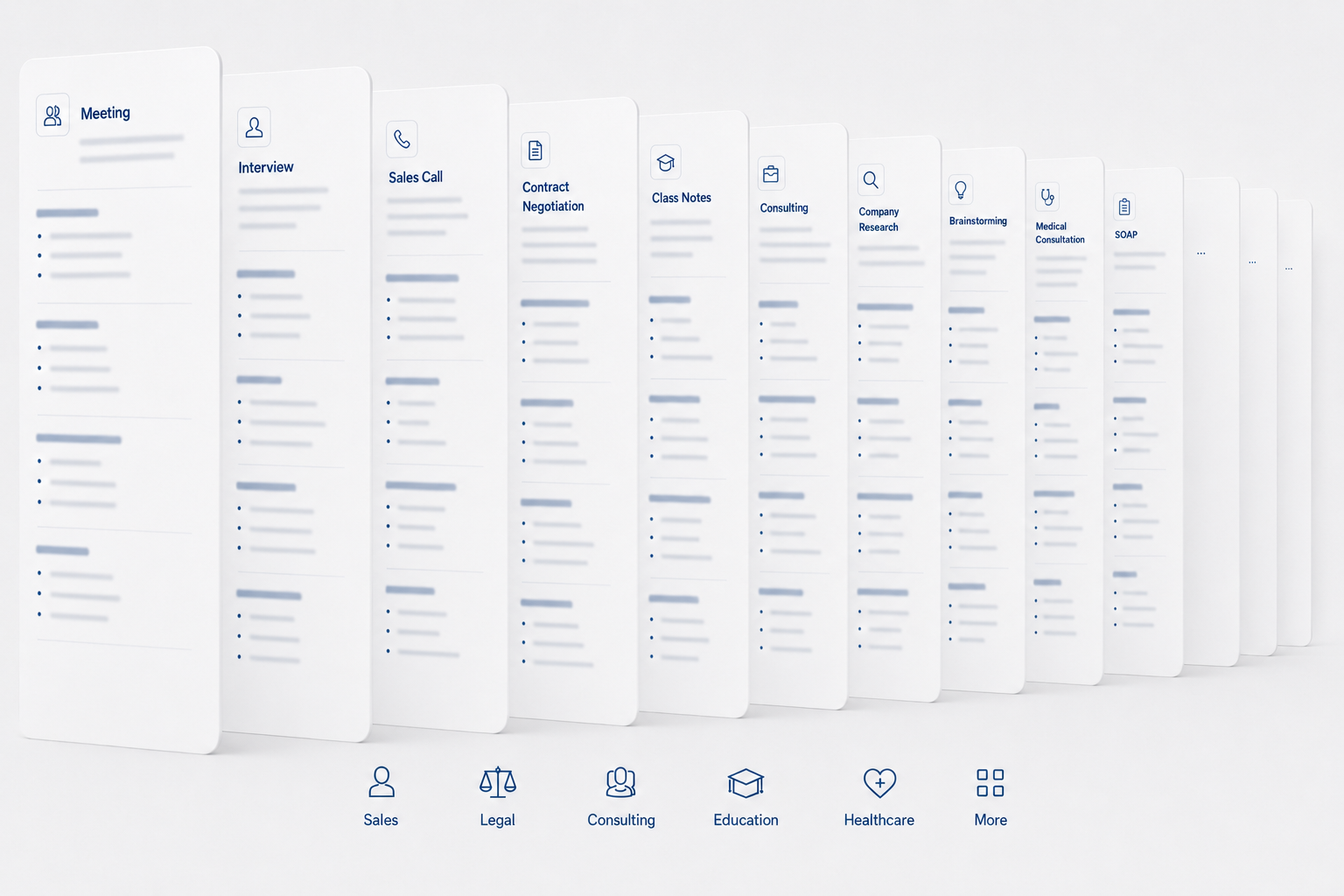
Professional intelligence simplifies your workflow
Echo comes with 13+ scenarios and 60+ templates built from real professional work. Each extracts the details that matter in your work and you can customize it to fit your own workflow.
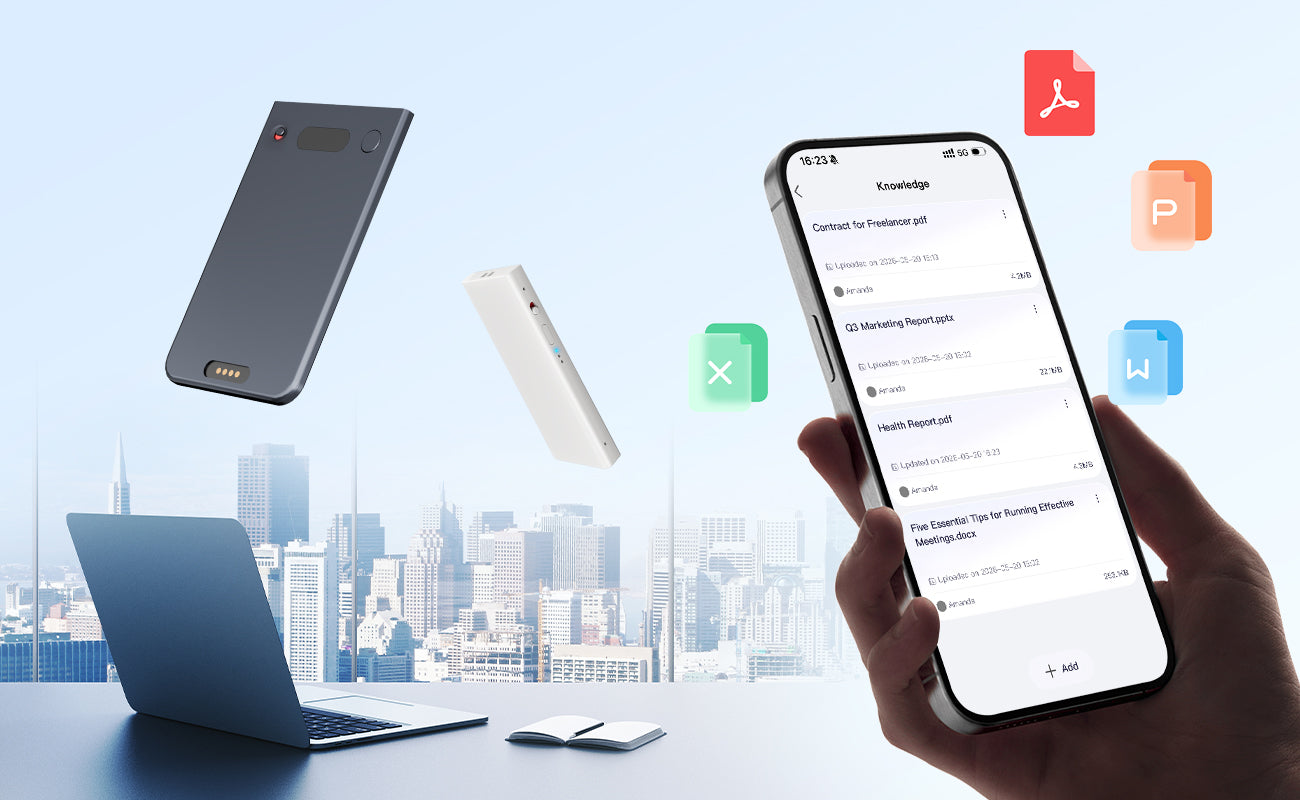
The second brain you can trust
Upload files to your knowledge base and keep conversations, notes, and references connected. Alivia uses your context, tools, and skills to help complete work like a capable assistant.
Agent Alivia for everything
A voice-to-done AI Agent that knows your business and does your chores.


Tell Alivia what you need. Just command.
Alivia breaks down tasks into steps and finds best execution path, like a capable assistant would.
Alivia takes action until the task is complete, so you can focus on high-value decisions.
What Echo Can Do
Your Al That Acts, Not Just Listen


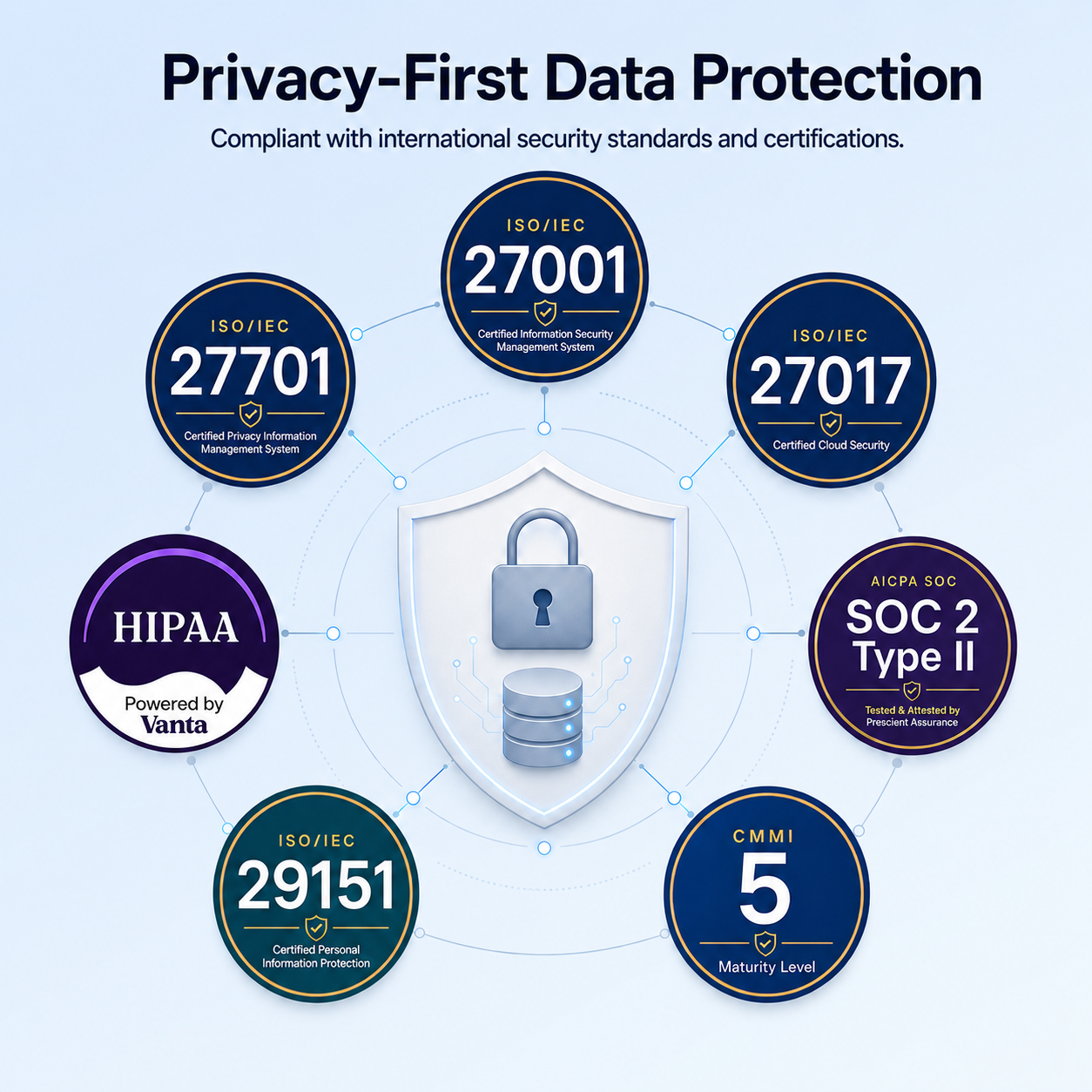
Privacy-First Data Protection
Compliant with international security standards and certifications.

ISO/IEC 27017
Compliant
Certified cloud services information security.

ISO/IEC 27701
Compliant
Certified privacy information management system.

ISO/IEC 27001
Compliant
Certified privacy information management system.

ISO/IEC 29151
Compliant
Certified personally identifiable information protection management system.

CMMI Level 5
Compliant
Appraised at the highest maturity level for software process maturity.

HIPAA
Compliant
Certified safeguards for health information.

SOC 2 Type II
Compliant
Independently audited controls for privacy protection over time.
Membership Plans
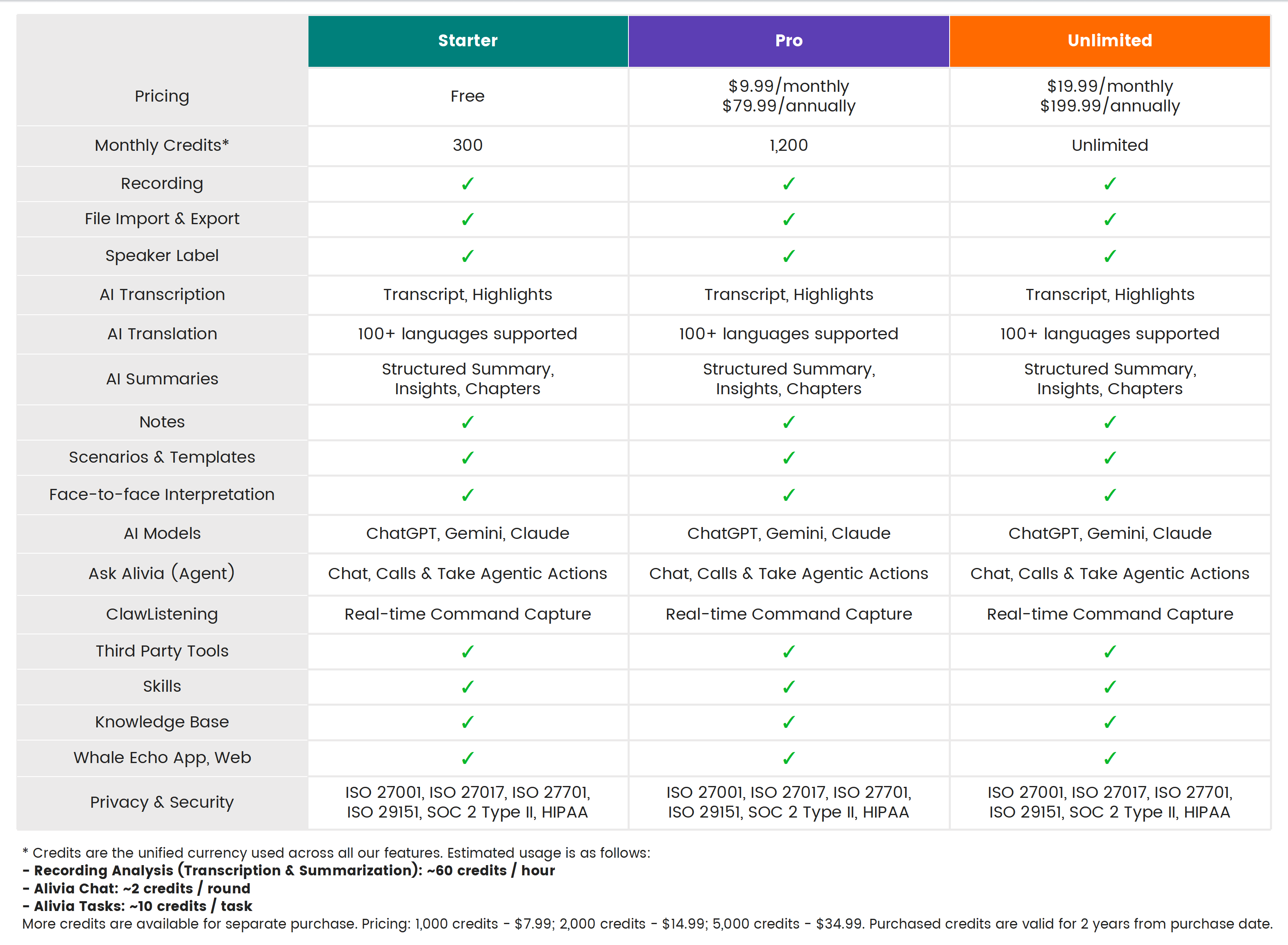
Every user gets 300 credits for free per month. Need more? Upgrade and keep your AI workflow moving.

Specifications
What's In Box


Frequently Asked Questions
Everything you need to know
Who is Echo for?
Echo is designed for professionals whose work starts with conversations, including sales, consultants, lawyers, clinicians, financial professionals, project managers, educators, students, executives and more. For years, Whale has served professionals across many industries through enterprise deployments.
What are the main differences between Echo Mini and Echo Pro?
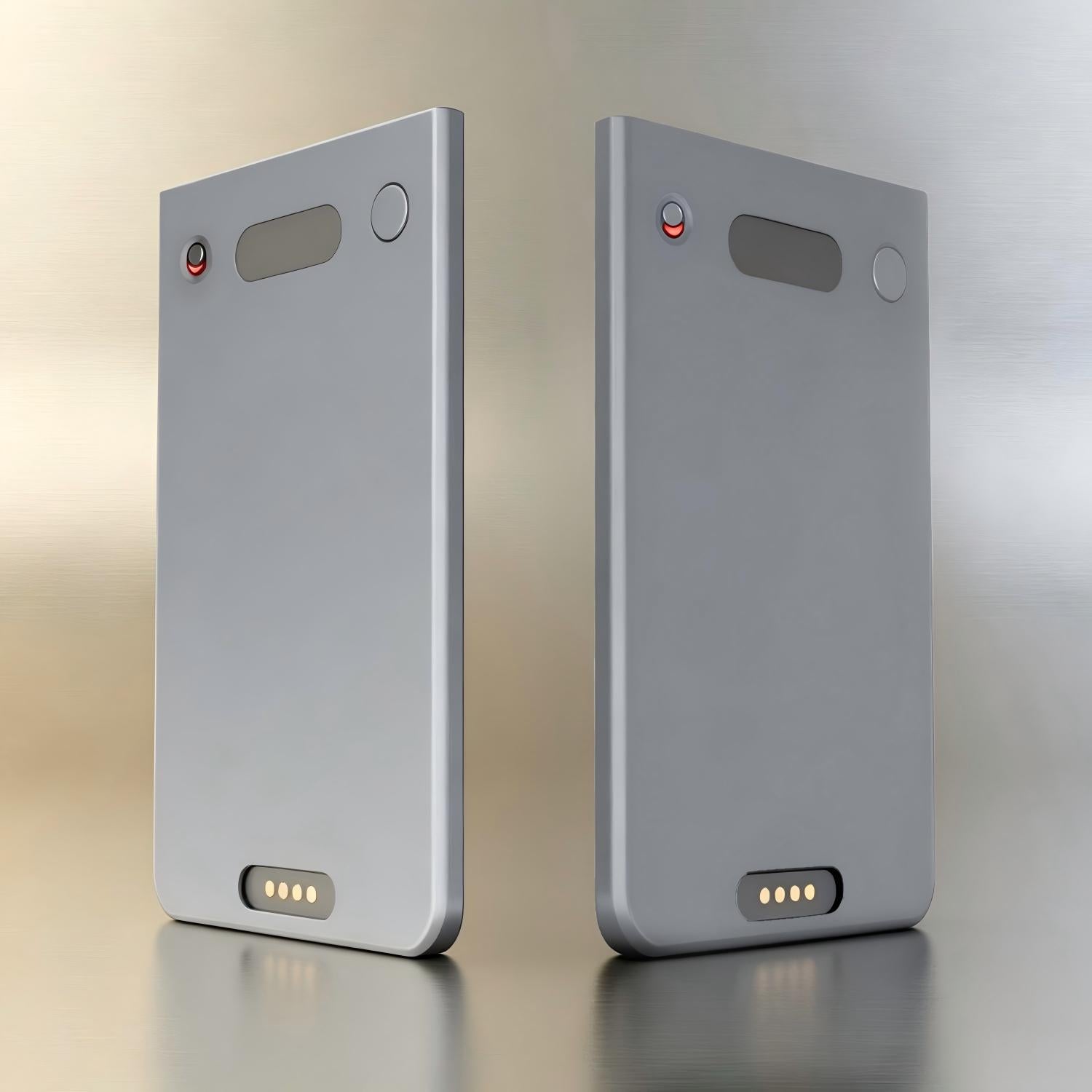
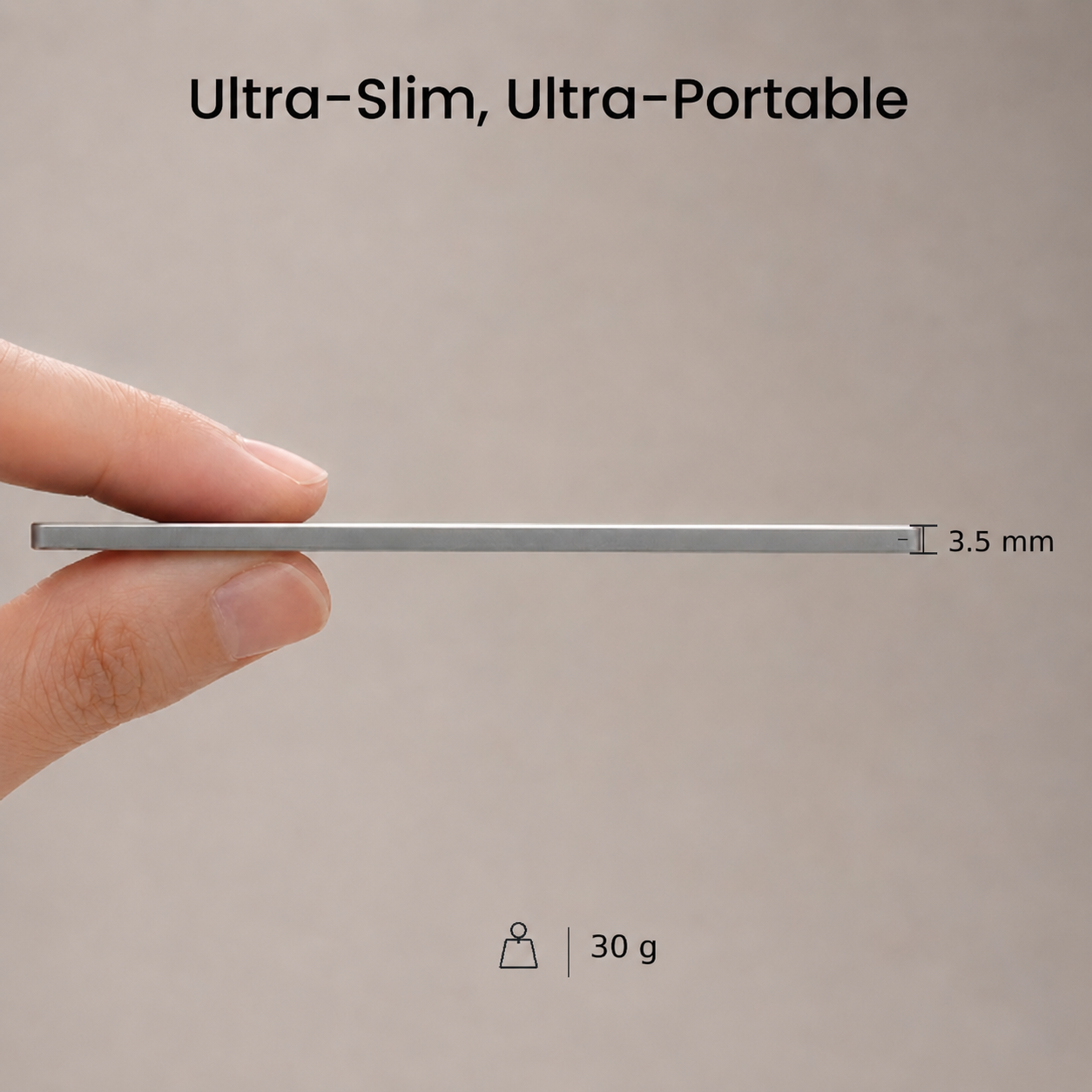
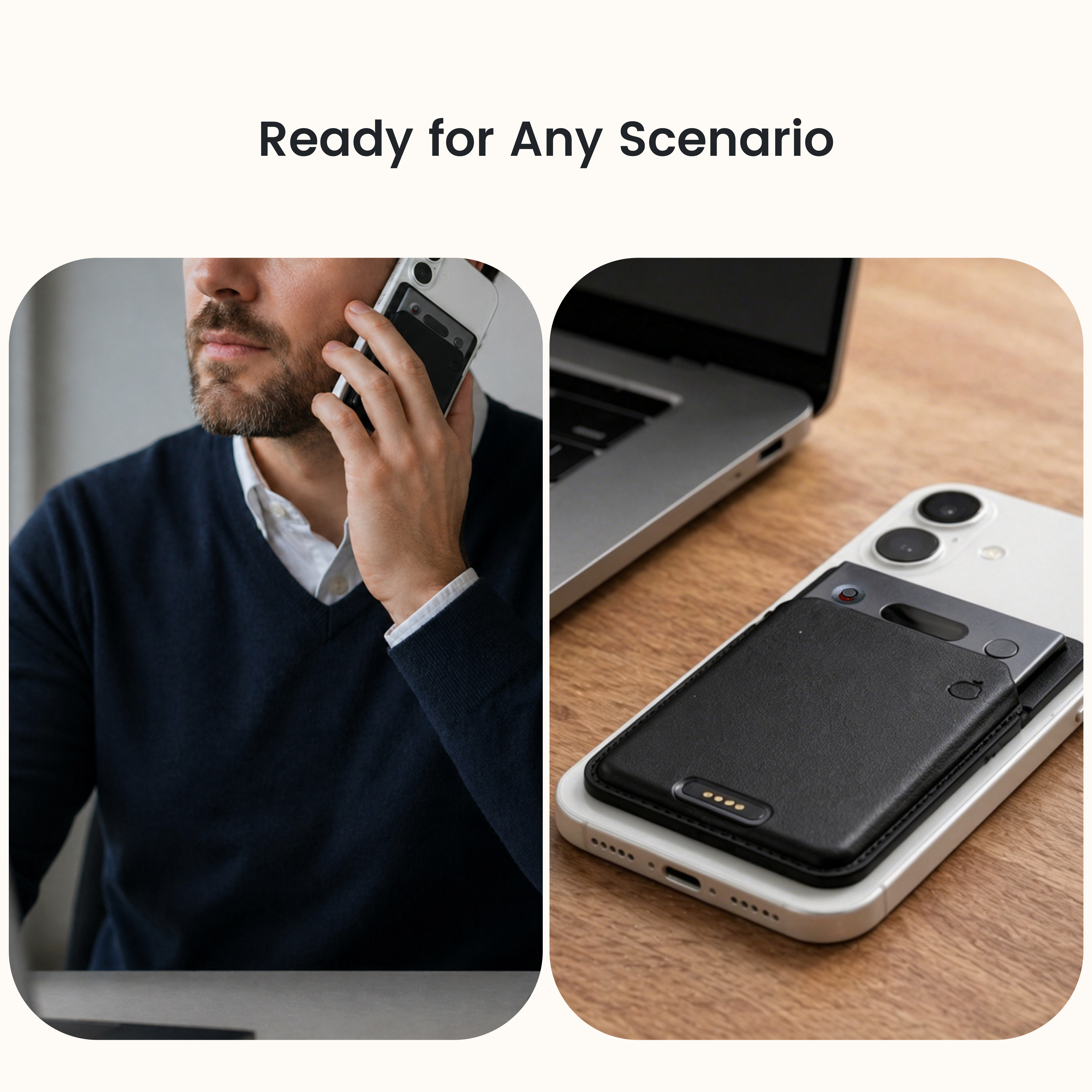
Echo Mini is lighter and more wearable, with 15g weight, USB-C charging, and over 8 hours of battery life. Echo Pro has a slimmer premium aluminum design, 4-pin magnetic charging, and over 10 hours of battery life for longer workdays. Echo Pro can also attach magnetically to the back of your phone.
How is Echo Pro different from other voice recorders?
Most voice recorders offer recordings, transcripts and summaries. Echo Pro goes further with Agent Alivia, helping turn conversations into follow-up actions and boost productivity to the next level.
How should I wear Echo Pro?
Echo Pro is slim, lightweight, and easy to carry. You can use the magnetic ring or magnetic case to hold in the back of your phone, or keep it in your wallet or pocket when you are on the go.
Where can I use Echo Pro?
You can use Echo Pro in meetings, classrooms, client visits, interviews, discussions, consultations, lectures, and everyday conversations. For the best audio quality, please keep Echo Pro within 16 feet of the speakers.
How do I start recording?
Toggle down to turn on. Then long-press the button for 3 seconds to start recording.Recording Control
- Pause: Double-press the button.
- End & Save: Long-press for 3 seconds or toggle up. Your recording will be saved and uploaded automatically once ended.
Customize in the Echo AppWant to change how you start recording? Tap your profile picture > Manage Devices > select your device > turn on Power-on Recording.
How do I connect Echo Pro to the app?
Power on your Echo Pro, turn on Bluetooth on your phone, then open the Whale Echo app. Tap the device icon, choose Add Device, select your Echo Pro, and connect to the device with the matching serial number. You can find the serial number on the back of your device.
Can I record without opening the app or while offline?
Yes. Echo Pro supports offline recording and saves files locally on the device. When your phone reconnects to the network, recordings can sync to the cloud automatically.
Can Echo Pro record online meetings?
Yes. You can paste a meeting link into the Echo app's online meeting feature and invite the meeting bot to join and record online meetings such as Zoom, Teams, and Google Meet.
How many languages does Echo Pro support?
Echo Pro supports transcription and summarization in 100+ languages. Face-to-face interpretation currently supports Chinese, English, and Japanese, and more languages will be supported in future.
What recording modes does Echo Pro offer?
Echo supports multiple recording modes for different situations.
(1) Default (Full Control)
Manually start and stop. Best for meetings, interviews, or classes with clear timeframes. Simply tap 'Start' or 'Stop' to control each session.
(2) Director (Continuous Recording)
Continuous recording with auto-split. Best for long sessions like lectures, seminars, or brainstorming. Audio is intelligently divided into separate files without you needing to pause.
(3) Power-Linked (Auto-Record on Unplug)
Unplug to record, charge to stop. Best for all-day field work or sales. Recording is fully automated based on your power connection, no manual action required.
How many scenarios and templates are available? Can I customize them?
Echo comes with 13+ scenarios and 60+ templates for different professional workflows, including meetings, interviews, sales, client consulting, education, IT, law, finance, and more. You can choose a template from the template library, and it will analyze the recording based on that structure.
You can also customize scenarios and templates to fit your own process.
How can I ask Alivia to take action?
Alivia is Echo's built-in AI agent. It can take actions, turning conversations into work ready for review.
Tap Alivia to open the chat, then give tasks in natural language. Alivia will finish the task automatically.
Adding tools can make Alivia work with third-party tools like Gmail, Google Calendar, GitHub, Notion, Slack, HubSpot, Discord, and Reddit, helping you send emails, schedule events, sync notes, publish social posts, and more.
Adding skills can make Alivia help you finish some customized tasks, such as writing documents, creating Slack GIFs, generating SRDs and more.
Adding scheduled tasks, Alivia can run tasks at a set time.
In Claw Listening Mode, you can give Alivia instructions while recording, so important moments can be captured in real time.
Do I need a subscription to use Echo Pro?
Recording is for free. AI summaries and other AI features will consume credits. Every user gets 300 credits for free per month after registration. If you need more credits, you can upgrade your membership or purchase additional credits in app.
How do I check the battery level of Echo Pro?
Echo Pro lasts up to 10 hours on a full charge. To check the battery level, single press the round button.
- 3 red lights: Battery is above 60%
- 2 red lights: Battery is between 30% and 60%
- 1 red light: Battery is below 30%. Please charge it soon.
Is my data secure?
Yes. Your privacy and security are always our top priorities. Echo Pro is backed by international security and privacy certifications, including ISO 27001, ISO 27017, ISO 27701, ISO 29151, SOC 2 Type II, and HIPAA. Your data, you control.